
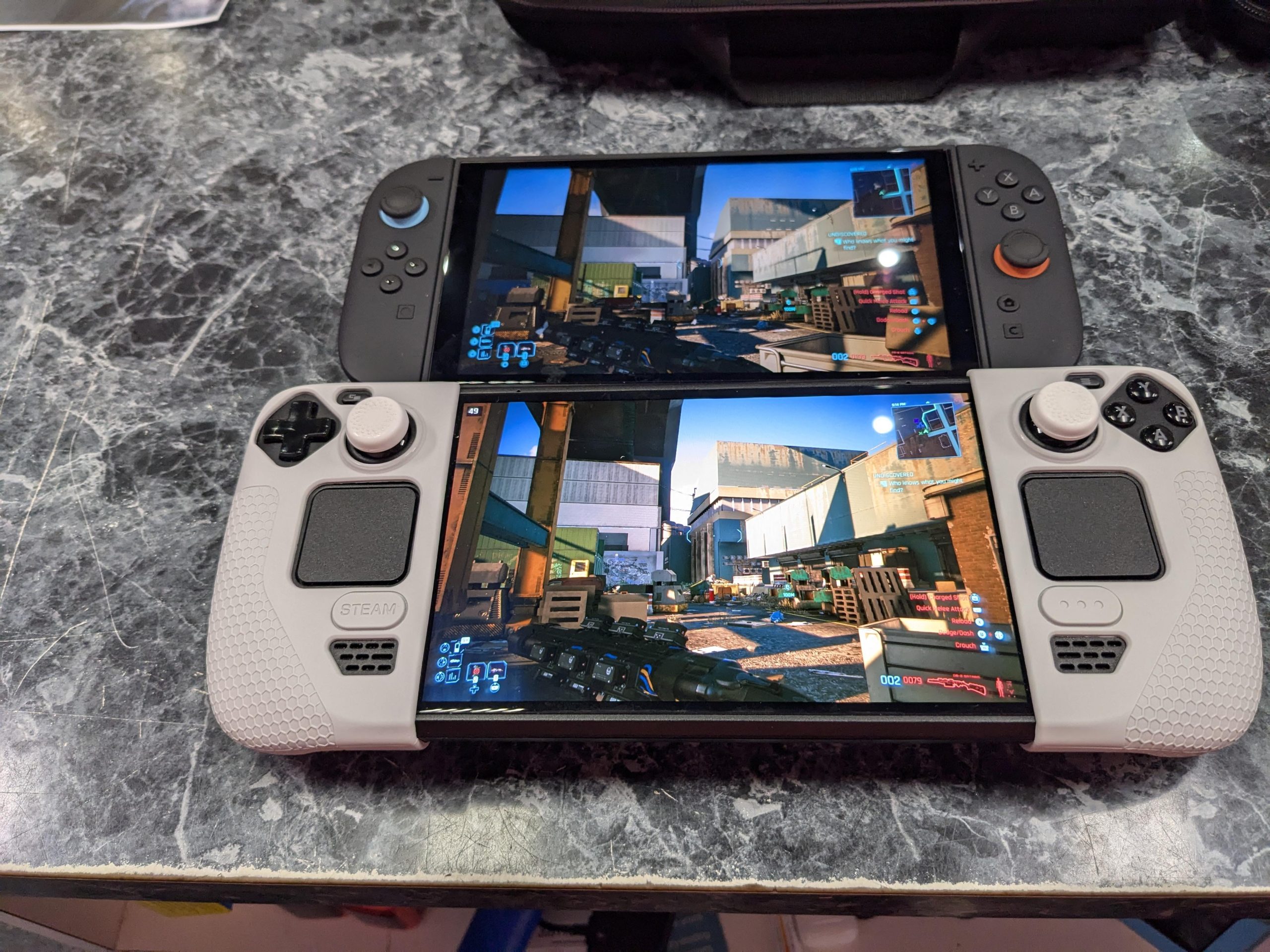

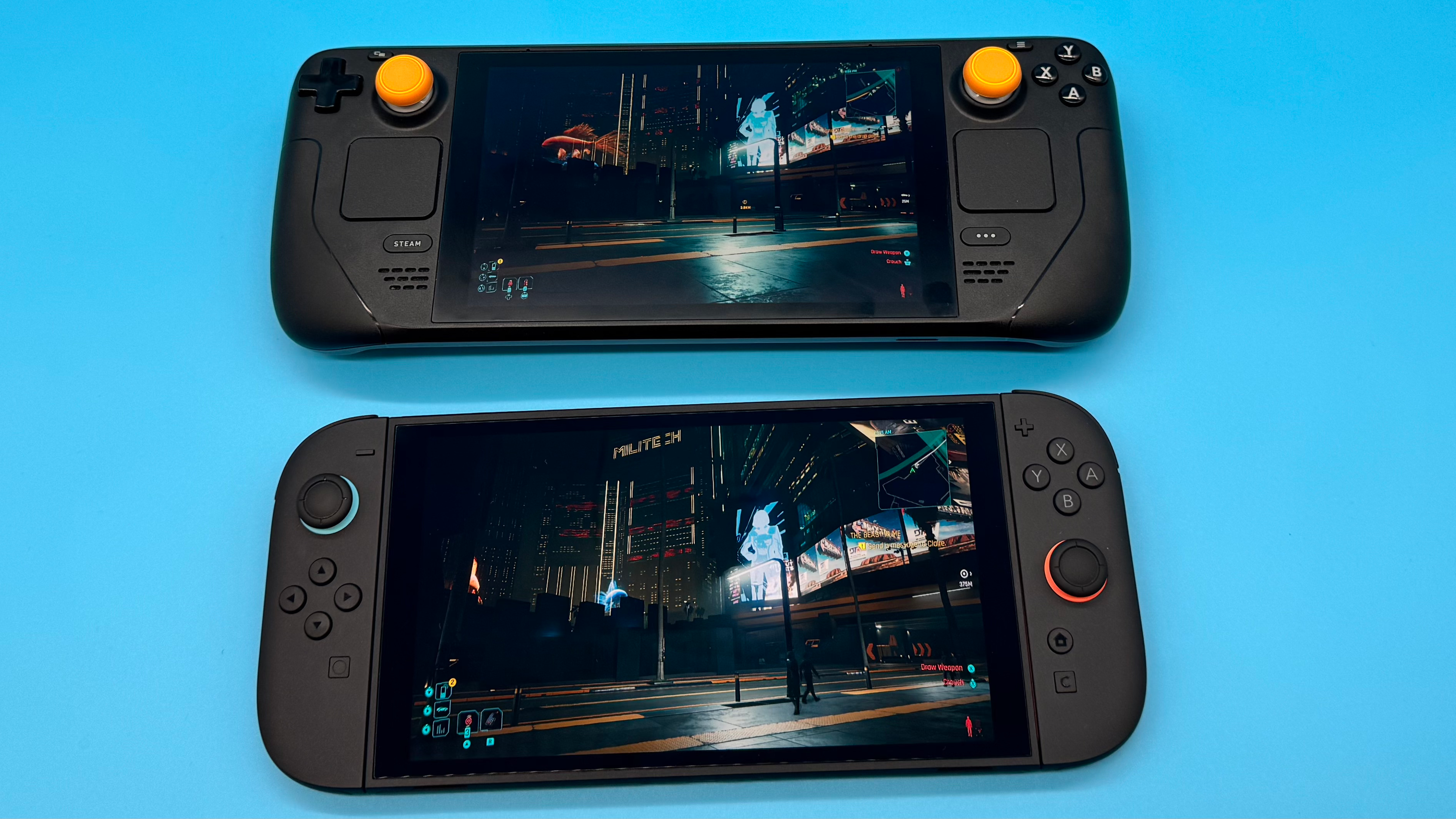
| Feature | Option A | Option B |
|---|---|---|
| Screen refresh rate | Switch 2: 120hz | Steam Deck OLED: limited to 90hz |
| Relative power | Switch 2: less powerful than Steamdeck | Steam Deck OLED: more powerful than Switch 2 |
| AI upscaling | Switch 2: superior AI upscaling with DLSS | Steam Deck OLED: not stated |
| Resolution mentioned | Switch 2: approx 864p | Steam Deck OLED: 720p at max settings |
| Frame rate mentioned | Switch 2: steady 60fps | Steam Deck OLED: steady 60fps |
The Switch 2 vs Steam Deck OLED decision matters because both devices target the same problem: playing serious games away from a TV or desk. But they solve it in very different ways, and the better choice depends less on hype and more on where your games already live.
The Switch 2 brings a smoother 120Hz display and Nintendo’s advantage with DLSS-style AI upscaling. The Steam Deck OLED counters with stronger overall handheld performance, a large PC game ecosystem, and a proven OLED screen experience.
| Category | Switch 2 | Steam Deck OLED |
|---|---|---|
| Display refresh rate | Up to 120Hz, meaning smoother motion potential than the first Switch. | Limited to 90Hz, but with OLED contrast and smooth frame pacing. |
| Performance profile | Helped by DLSS AI upscaling, with some games targeting around 864p. | Generally considered more powerful overall; can run some games at 720p max settings. |
| Frame rate expectation | Can deliver steady 60fps in supported games. | Also capable of steady 60fps, with more settings control. |
| Best fit | Players who want Nintendo games, easy setup, and console-like convenience. | Players with a large PC library who want more control and broader game access. |
Switch 2 — What It Does Best
The Switch 2’s biggest strength is that it behaves like a focused gaming console. You buy the system, choose a game, and play. For beginners or families, that matters. There is less pressure to tune settings, think about compatibility layers, or decide whether a game should run at low, medium, high, or max presets.
The standout technical advantage is the 120Hz screen. A higher refresh rate does not automatically mean every game runs at 120fps, but it gives developers more room for smoother animation and more responsive gameplay. Compared with the original Switch, that is a meaningful upgrade.
The other major point is DLSS AI upscaling. This is where the Switch 2 can punch above its raw hardware. Instead of rendering every pixel natively, supported games can use AI upscaling to create a cleaner image from a lower internal resolution. That helps explain why the Switch 2 can look sharper in some scenarios even if the Steam Deck OLED has the stronger overall hardware profile.
There are weaknesses. The Switch 2 is still a more controlled platform. If your library is split between Nintendo and PC, the Switch 2 only solves one side of that problem. It is also less appealing if you want to experiment with settings, install a wide range of PC games, or treat the handheld like a small gaming computer.
In short, the Switch 2 is best when you value simplicity, Nintendo-first gaming, and polished console convenience.
Steam Deck OLED — What It Does Best
The Steam Deck OLED wins on breadth. If you already own many games on Steam, the value is obvious: your existing library becomes portable. That alone can make it the smarter purchase, especially if you are debating between two devices but already have a meaningful collection on PC.
Performance is also a key reason to choose it. Based on current comparisons, the Steam Deck OLED is generally more powerful than the Switch 2. In some games, both systems may hold a steady 60fps, but the Deck can often give you more control over resolution, graphics quality, and frame limits.
The display is limited to 90Hz, so the Switch 2 has the higher refresh-rate ceiling. But 90Hz is still smooth for handheld play, and the OLED panel gives the Deck a premium feel, especially in darker games or titles with strong contrast.
The weakness is complexity. The Steam Deck OLED is easy compared with a traditional PC, but it is still closer to a PC than a console. Some players love adjusting settings. Others just want to press play. If you are in the second group, the Switch 2’s simpler console approach may feel more comfortable.
Still, for players who want power, library flexibility, and long-term usefulness, the Steam Deck OLED has the stronger argument.
If you enjoy direct, outcome-focused comparisons in other categories too, you may also like our prediction-style breakdowns such as IPL 2026 Qualifier 2: RCB vs PBKS Prediction & Playing 11 | 29 May 2026 and IPL 2026 Qualifier 2: SRH vs PBKS Prediction & Playing 11 | 29 May 2026.
Which Should YOU Choose?
For budget-minded buyers: choose the device that matches the games you already own. If your library is mostly on Steam, the Steam Deck OLED is the better value because you are not starting from zero. If your must-play titles are on Nintendo platforms, the Switch 2 makes more sense.
For power users: pick the Steam Deck OLED. It is the stronger all-round handheld for people who care about performance controls, game settings, and access to a larger PC-style library.
For beginners: pick the Switch 2. Its console-first design is easier to understand, and the combination of 120Hz support and DLSS upscaling gives it a modern feel without asking the player to manage many technical details.
For players who own games on both platforms: the tie-breaker is frequency. If you play Nintendo exclusives most often, get the Switch 2. If you spend more time in your Steam library, get the Deck OLED.
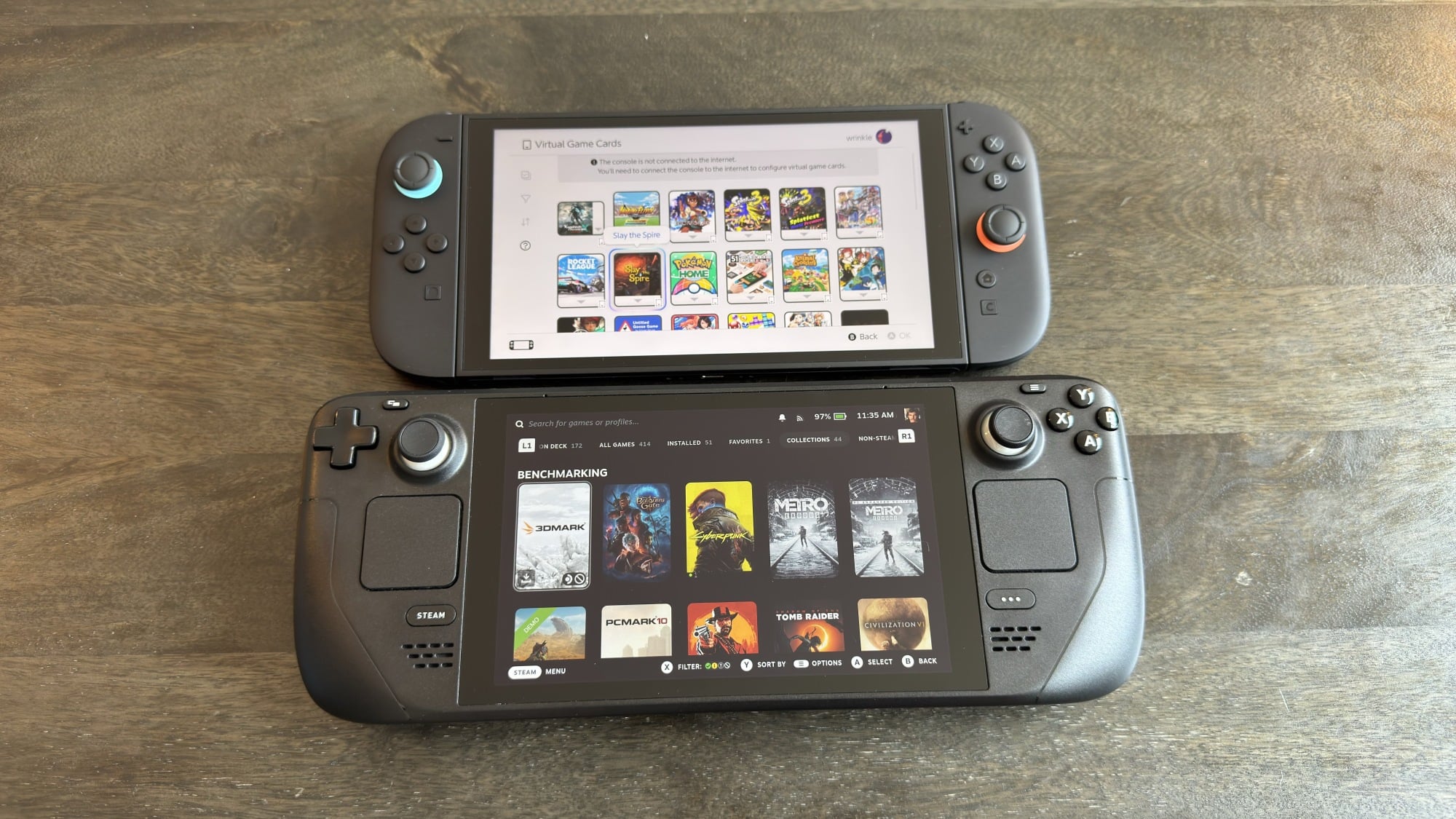
Final Verdict
The clear winner is the Steam Deck OLED. It is the better recommendation for most people because it offers stronger overall performance, broader game access, and more flexibility for players who want a handheld that can grow with their library.
The Switch 2 is still the better choice for Nintendo-first players. Its 120Hz display and DLSS AI upscaling make it a serious upgrade, not just a small refresh. But if you are asking which handheld is the smarter all-purpose buy, the answer is Steam Deck OLED.
FAQ
Will Switch 2 be more powerful than Steam Deck OLED?
Based on current comparisons, no. The Steam Deck OLED is generally viewed as the more powerful handheld overall, while the Switch 2 benefits from DLSS upscaling to improve image quality efficiently.
Switch 2 vs Steam Deck OLED performance: which is better?
The Steam Deck OLED has the stronger performance profile overall. However, the Switch 2 can still deliver smooth results, especially in games designed around its hardware and upscaling features.
Does the Switch 2 have a better screen than the Steam Deck OLED?
The Switch 2 has the higher refresh-rate ceiling at 120Hz, while the Steam Deck OLED is limited to 90Hz. The Deck’s advantage is its OLED presentation, while the Switch 2’s advantage is smoother refresh potential.
Switch 2 vs Steam Deck vs ROG Ally: which direction should I go?
If you want Nintendo games, choose Switch 2. If you want a strong handheld for an existing PC library, choose Steam Deck OLED. If you are considering other PC handhelds, compare them mainly on performance, comfort, battery expectations, and how much setup you are willing to handle.
*Affiliate link — we may earn a small commission at no extra cost to you.
Education journalist covering competitive exams, board results, and career transitions in India. Her CBSE and higher education coverage has helped thousands of students navigate admissions.